

User Dashboard
One screen. The whole account.
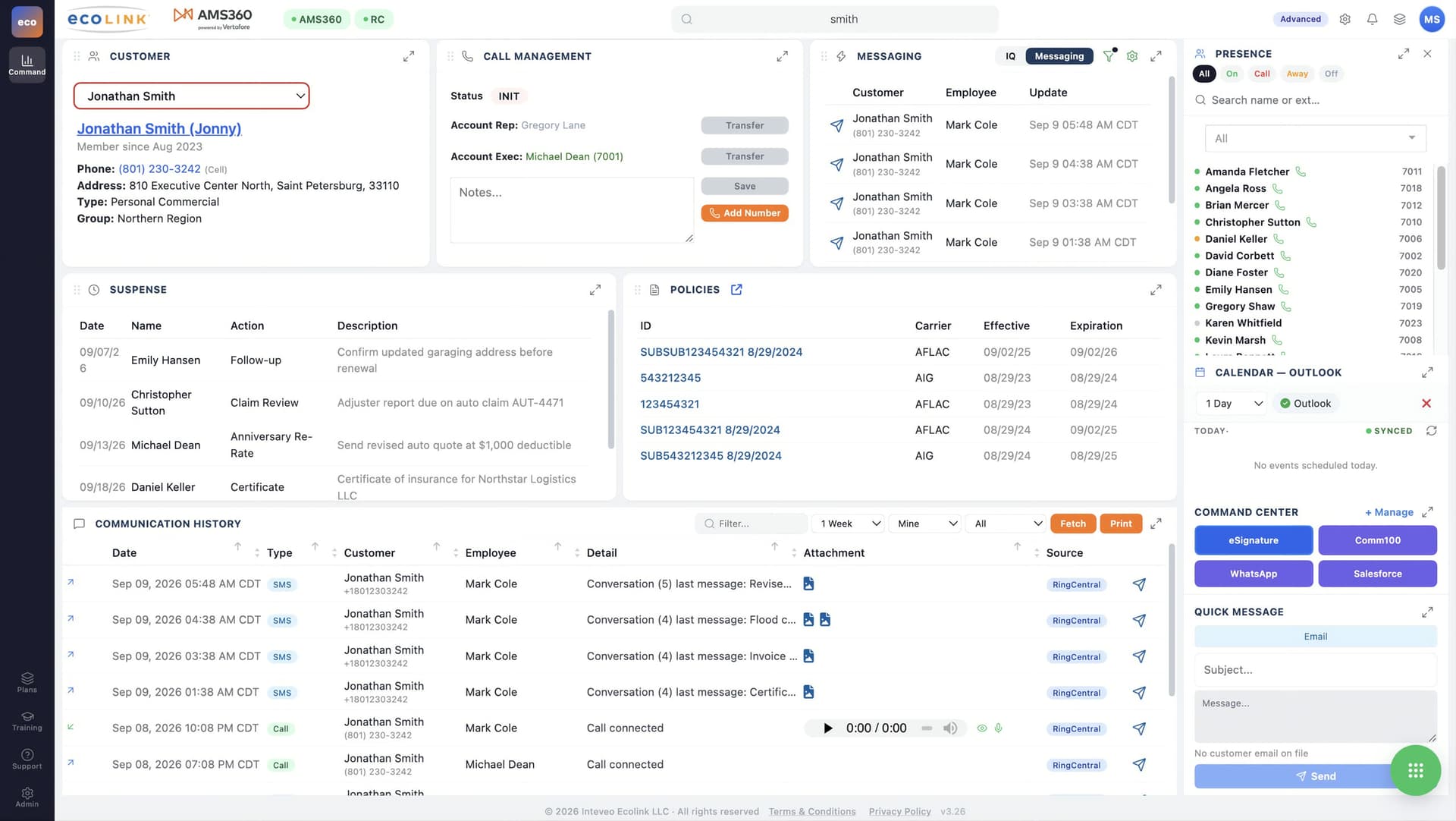
The User Dashboard is where an agent works all day — the customer, the call, the messages, the policies and the history in a single view, with nothing to switch between.
What is on it
- Customer
- The record for whoever is on the line, opened automatically.
- Call management
- Answer, transfer, note and save, with the account rep and account executive named.
- Messaging
- SMS threads against the customer, alongside IQ's suggested actions.
- Suspense
- What is outstanding on this account.
- Policies
- Policy IDs, effective and expiration dates, inline.
- Communication history
- Every call, text and email on the account, filterable and printable.
- Presence
- Who is available, on a call, away or off, with extensions.
- Calendar
- Connected to Outlook, so callbacks land where the agent already looks.
Opens before the second ring
Nothing here is a report to run or a screen to go and find. It is the state of the account, in front of the person talking to the customer, while they are talking to them.